
Key Highlights
- The palm grip offers the most comfort and support for long sessions but may lack rapid micro-adjustment speed.
- The claw grip provides a balance of stability and agility, making it a popular choice for competitive shooters.
- The fingertip grip allows for maximum vertical and horizontal speed, though it requires significant fine motor control.
- Selecting the right mouse shape and weight is crucial to complementing your natural hand positioning.
Introduction
Every millimetre of movement and every fraction of a second counts in the high-stakes world of competitive gaming. Players often spend hours tweaking their sensitivity settings or upgrading their hardware, yet they frequently overlook the most fundamental aspect of their setup: how they actually hold their gaming mouse. Even those who primarily use an iPad for work or a MacBook for daily tasks might find their established grip habits transferring over to their gaming sessions. The way your hand interacts with your peripheral significantly influences your muscle memory, reaction time, and overall accuracy. There is no universal “correct” way to hold a mouse, as the best grip often depends on the size of your hand and the types of games you play. However, understanding the mechanics of the three primary grip styles can help you identify if your current habit is hindering your performance. After all, by aligning your grip with the right hardware, you can achieve a level of precision that feels like an extension of your own body.
The Stability of the Palm Grip
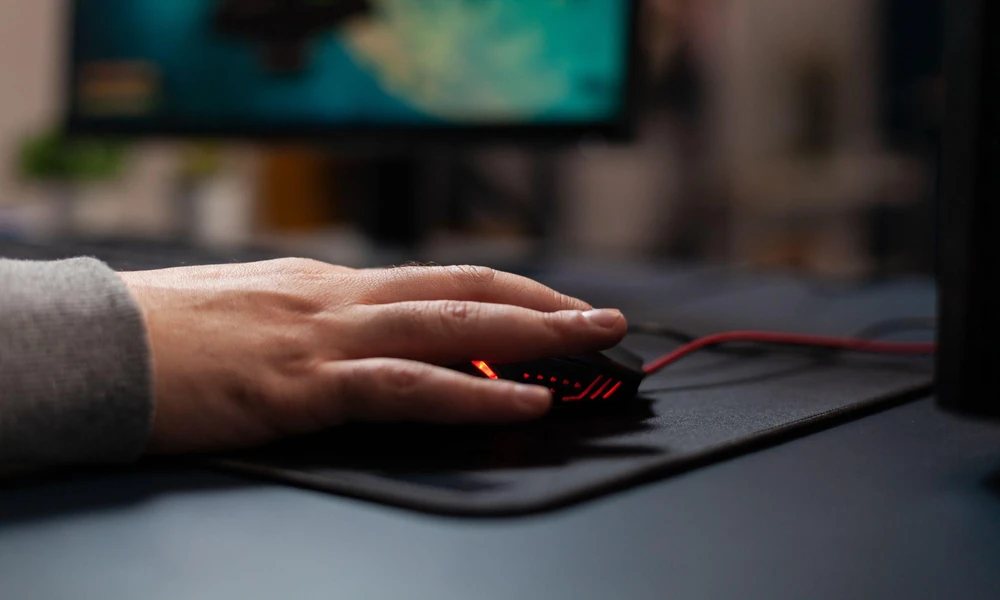
The palm grip is perhaps the most common style, characterised by the entire palm resting on the back of the mouse, with the fingers lying flat along the buttons. This style provides the maximum amount of contact between your hand and the device, which translates to excellent stability and comfort. Since the weight of your hand is supported by the mouse, this grip is ideal for long gaming sessions where fatigue might otherwise become an issue. It is particularly effective for games that require large, sweeping arm movements rather than twitchy wrist flicks. However, the downside of this style is a reduction in micro-adjustment capability. Since the palm is anchored, you rely more on your arm and shoulder for movement, which can be slightly slower when trying to track a fast-moving target in a cluttered environment.
The Versatility of the Claw Grip
The claw grip is often the preferred choice for those who want a blend of stability and speed. The back of the palm still rests on the rear of the peripheral, but the fingers are arched upward in a “claw” shape, with only the tips touching the main buttons. This approach allows the user to click much faster and more forcefully than they could with a flat finger, mirroring the light yet precise touch one might employ on an iPad touch screen or a MacBook trackpad. The claw grip is highly favoured by e-sports professionals because it provides the stability needed for consistent aiming while freeing up the fingers for rapid-fire actions. It bridges the gap between arm aiming and wrist aiming, offering a versatile solution for varied gameplay scenarios. Many modern designs, including various models of the Logitech mouse, are specifically contoured to support the subtle arch required for this competitive stance.
Precision with the Fingertip Grip
The fingertip grip is the most extreme style, where the palm does not touch the mouse body at all. Instead, the device is controlled entirely by the five fingertips. This style offers the maximum possible range of motion and speed, as the user can move the mouse vertically and horizontally using only their fingers without moving their wrist or arm. It is the ultimate grip for high-intensity, fast-paced games where flick shots are frequent. However, because there is no palm support, this grip can be the most tiring to maintain over several hours. It also requires a very lightweight mouse to be effective, as a heavy peripheral would be difficult to control using only the fingertips. Mastering this grip takes time and practice, but the level of precision it offers for micro-adjustments is unmatched by any other method.
Choosing the Right Hardware for Your Grip
Identifying your grip style is only half the battle; the other half is ensuring your hardware supports it. If you have a palm grip, you generally need an ergonomic, larger mouse with a high hump to support your hand. Conversely, fingertip and claw grip users often benefit from smaller, symmetrical, or “ambidextrous” shapes that allow for more finger flexibility. Weight also plays a massive role. A heavy gaming mouse can be great for the steady movements of a palm grip, but it will likely feel sluggish for someone using a fingertip style. Just as one would carefully research the specifications of an iPad or a MacBook for their specific computing needs, choosing the right mouse is equally important to your setup. That said, when selecting a new Logitech mouse, consider the dimensions and the sensor placement, as these factors will change how the cursor responds to your specific hand movements. Experimenting with different shapes will eventually lead you to the perfect synergy between your physical technique and your digital tools.
Conclusion
Your grip style is a personal preference that evolves over years of play, but being conscious of your technique can lead to significant improvements in your gaming performance. Whether you prefer the relaxed comfort of the palm grip, the balanced agility of the claw grip, or the raw speed of the fingertip grip, the goal is to find a style that feels natural and sustainable. Pairing your chosen technique with a mouse that complements its strengths will give you a competitive edge. Ultimately, the right combination of skill and equipment is what separates the casual player from the true enthusiast in the digital arena.
Visit Harvey Norman Singapore to find the perfect peripheral for your setup.